(727) 823-9500

Indiana

About StickyJ Medical ID DNR and POST Bracelets
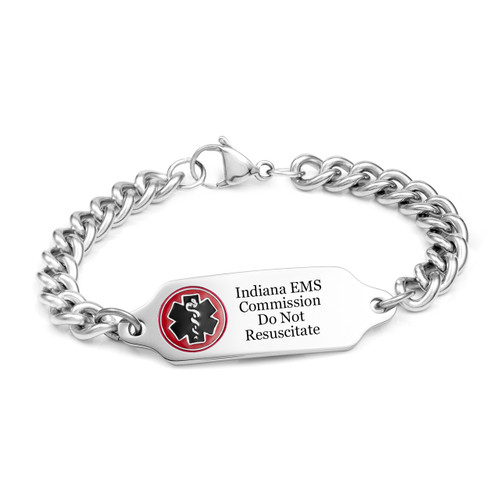
StickyJ Medical ID Jewelry is an authorized provider of Indiana Do Not Resuscitate (DNR) bracelets. Your order must be accompanied by a valid Indiana Do Not Resuscitate form signed by both the patient's physician and the patient (or legal surrogate).
- In the back engraving section, please be sure the patient’s first and last name is entered on the first line, and the patient's date of birth is entered on the second line.
- You can scan the document and upload it at the time you place your order, email it to us to CustomerService@stickyj.com, or fax it to us to 727-499-0989.
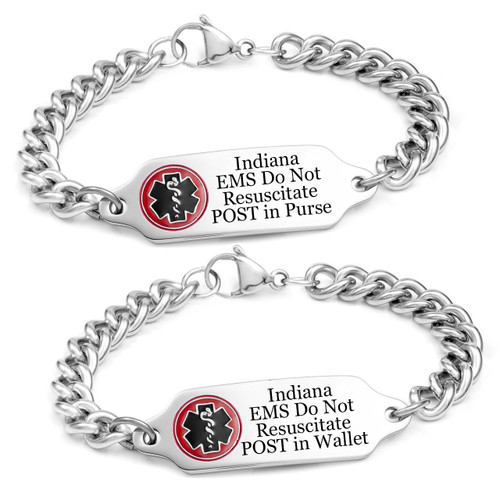
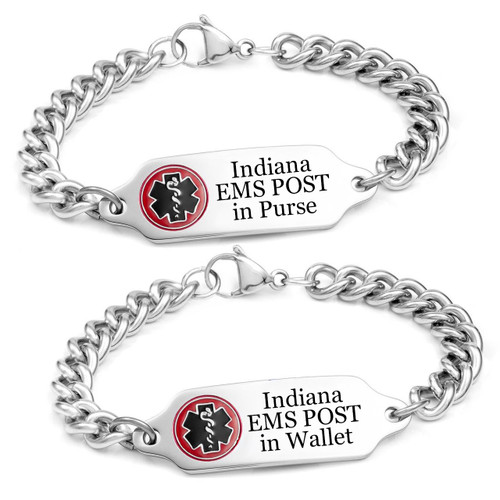
We also provide Indiana POST Bracelets. With a POST bracelet, you must carry your POST order with you at all times. When ordering your bracelet, be sure to indicate whether you carry you POST order in your purse or wallet, and we will engrave that on the bracelet.
To order either bracelet by mail, please download and print the INDIANA DNR or POST Bracelet ORDER FORMand follow the instructions on the form.
QR Code Option for Quick DNR Access
For a modest additional fee, StickyJ Medical ID offers an optional QR Code feature with your medical ID bracelet. If you select this option, when you send us a copy of your physician order, we will securely digitize and upload it to our protected online database. The QR Code, engraved on the back of your bracelet, allows paramedics and emergency responders to use a smartphone to scan and immediately view an image of your DNR or POST order. Having the actual DNR or POST order retrievable by scan can provide an additional layer of assurance, since the scan allows EMS personnel to quickly verify your medical directives, further safeguarding your preferences in emergency situations.
To add the QR Code option, you must either scan-and-upload OR mail a copy of your Do Not Resuscitate or POST order to StickyJ Medical ID. Once received, we will securely store your document online, making it accessible to EMS personnel whenever necessary. (Note: if you are planning to scan and upload your physician order, we recommend using Adobe Scan. It's a free app available for both Apple and Android phones).
Features of the Indiana Bracelets
The Indiana Do Not Resuscitate and POST ID bracelets by StickyJ Medical ID offer peace of mind by ensuring EMS personnel are aware of the existence of your medical orders and know exactly where to locate them. The front of the metal bracelet features the internationally recognized emergency medical symbol and information about the location of your portable medical order. The back of the bracelet provides space for several lines of engraving, where you can include your name and an emergency contact phone number.
When ordering your bracelet, please select the DNR bracelet (CR5176C) if your physician order is simply a Do Not Resuscitate form. Select the Do Not Resuscitate POST bracelet (CR5176DNINC) if your physician order is a POST with 'No CPR' checked, select the EMS POST bracelet (CR5176INC) if your physician order is a POST with 'No CPR' left unchecked (indicating you want to be resuscitated following a cardiac event). If you have any questions, please contact StickyJ Medical ID at 727-823-9500.
Important Legal Notice
Please be aware that the bracelet itself is not legally sufficient for EMS personnel to withhold resuscitation efforts. In the event of a cardiac emergency, you must have a copy of your physician order with you, and it must be accessible to emergency responders. Only a medical professional can issue a portable medical order. For more information about your choices and legal requirements, consult with your physician.